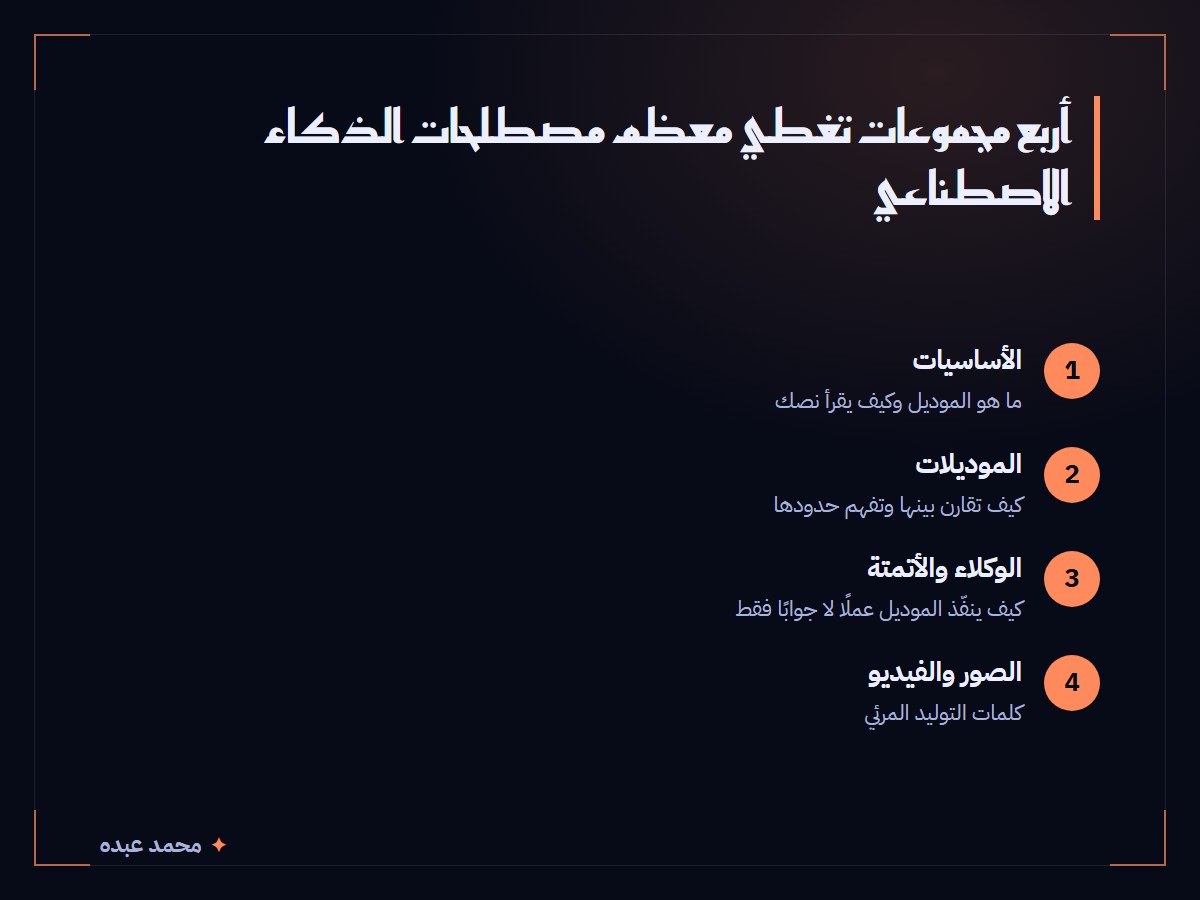
This AI terms glossary covers 41 entries in four groups: the basics, models, agents and automation, and image and video tools. Each entry has a one-line meaning and an example from everyday use, so you can read an AI news story or a tool’s settings page without stopping at every unfamiliar word.
Read the first group before the others, because the later ones build on it. Whatever I say about Claude below I checked today, on 29 October 2026, against Anthropic’s own glossary page. Everything else is my plain explanation, with no statistics attached.
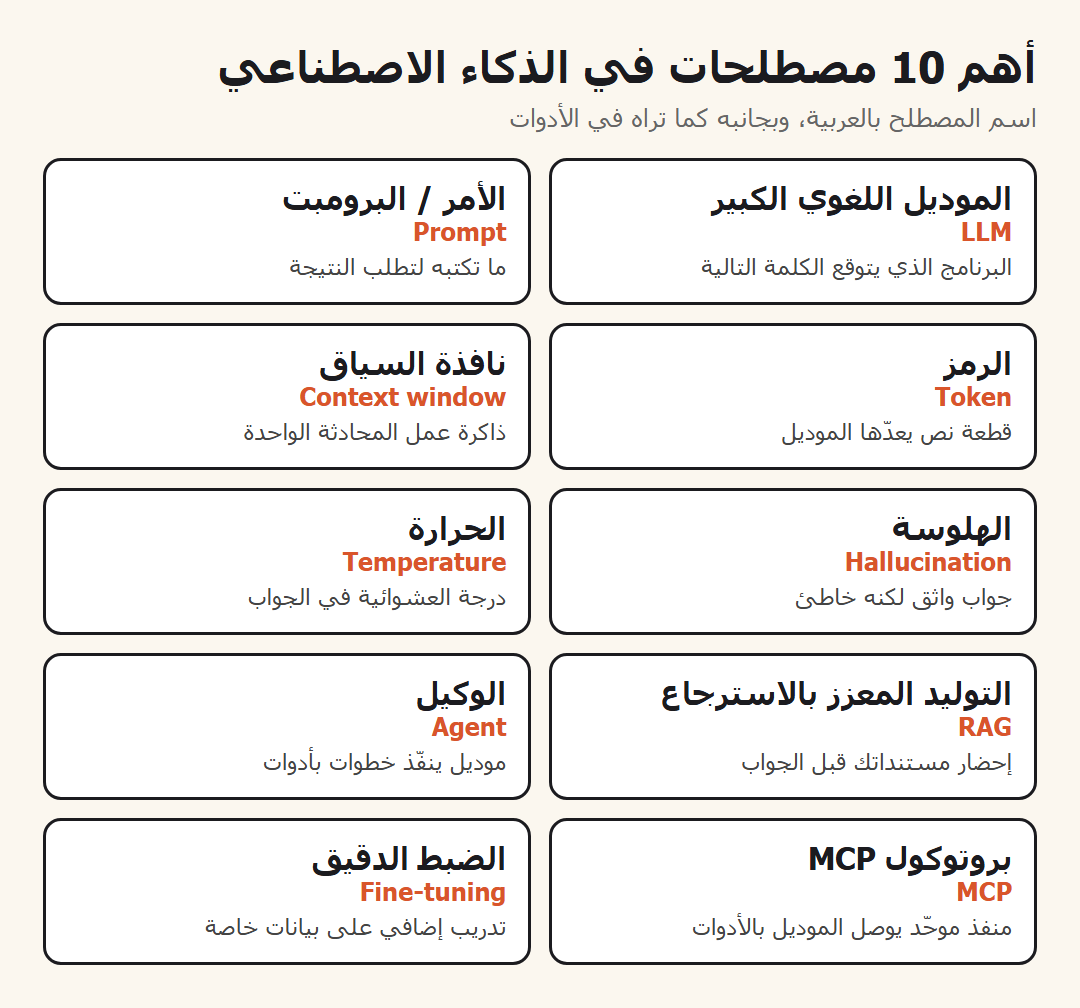
What are the core terms in any AI terms glossary?
These twelve open almost any conversation. If you learn only this group, most articles about AI tools will make sense.
- Artificial intelligence (AI): software that does tasks that normally need human judgment, such as summarising an article or translating a sentence.
- Machine learning: software that learns a pattern from examples instead of from rules someone typed in. A spam filter learns from messages people already marked.
- Neural network: a mathematical structure of connected layers. It is the base of nearly every modern model.
- Large language model (LLM): a very large model trained on a huge amount of text so it can write, answer and summarise. ChatGPT and Claude are built on one.
- Pretraining: the first stage, where the model reads a great deal of text and learns to predict the next word.
- Prompt: the text you type to ask for a result, such as “summarise this email in three lines”.
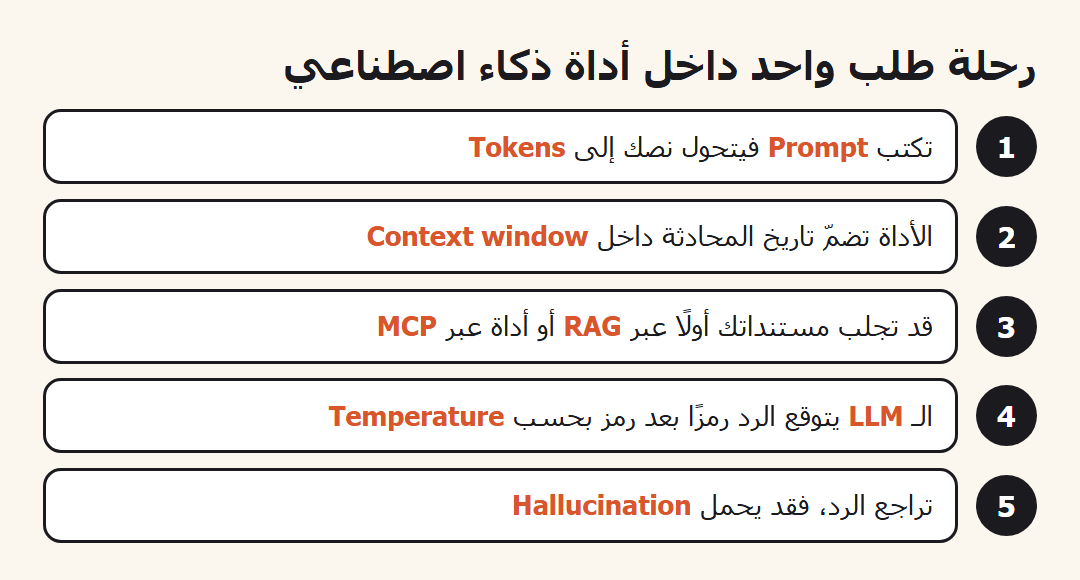
- Token: a chunk of text the model counts, sometimes a whole word and sometimes a piece of one. Usage bills are counted in tokens.
- Context window: everything the model can see in one conversation, which works like its short-term memory. If the chat grows too long, the earliest part drops out.
- Inference: the moment a finished model runs to answer you, as opposed to the time it was trained.
- Generation: producing new text or an image instead of looking up an existing one.
- Hallucination: an answer that sounds confident but is wrong or invented, such as a source that does not exist.
- Temperature: a setting for randomness. A low value gives steadier answers and a high value gives more variety.
Two details from the official page are worth knowing. On tokens, it says the number of characters per token depends on the model and the language, and it recommends the token counter for the model you actually use. For Arabic writers this matters, because Arabic text can use up context faster than you expect, so I never estimate by eye.
On temperature, the page warns that even at zero the output is not fully deterministic. Do not build a process that assumes the same prompt gives the identical sentence every time.
What do the terms on a model picker mean?
Open the model list in any tool and you meet a pile of words. These are the ones that matter.
- Parameters: the internal numbers a model learns. More of them usually means more capability and heavier hardware.
- Fine-tuning: extra training of a finished model on your own data so it follows a style or a field. The official page notes that the Claude API does not currently offer it.
- RLHF (reinforcement learning from human feedback): people rank several replies, and the model learns to prefer the kind they ranked higher. It is why a model answers like an assistant.
- HHH (helpful, honest, harmless): the framework Anthropic describes for training Claude. An honest model admits what it does not know.
- Latency: the wait between sending your request and receiving the reply. It matters when a customer is waiting on a chatbot.
- Time to first token (TTFT): how long until the first word appears. A tool feels fast when it starts writing at once.
- Multimodal: able to read more than text, for example a screenshot you upload and ask about.
- Reasoning: a mode where the model works through steps before answering. It helps with maths and logic and takes longer.
- Benchmark: a shared test used to compare models. Read the numbers with care, because vendors pick the tests that suit them.
- Open source: a model whose weights are published so you can run it yourself, such as the Llama and Qwen families.
- Local model: one that runs on your own computer with no internet. Your memory and graphics card set the limit.
The most common mix-up here is between the context window and knowledge. A bigger window lets the model read a longer document in one request. It does not make the model know more. Someone who confuses the two expects the model to remember last week’s chat, when it only knows what is in front of it right now.
Which words describe agents and automation?
This group separates a chat from work that gets done by itself. If you are new to all of it, start with the first guide to Claude and come back.
- Agent: a model that plans and carries out steps with tools instead of only answering. It reads your inbox, sorts it and drafts replies.
- Tool: an ability the model can call, like web search, reading a file or sending a message.
- Tool use: the model asks for a tool to run, then continues from the result.
- Model Context Protocol (MCP): an open protocol that standardises how a model connects to data and tools. The official page compares it to a USB-C port for AI applications.
- MCP server: a small program that offers tools and data to any app that speaks the protocol, for example one that exposes your calendar.
- Retrieval augmented generation (RAG): the system fetches the right passage from your documents and puts it in front of the model before it answers, so it answers from your data instead of relying on memory alone.
- Vector database: a store that keeps text as numbers describing meaning, so it can find the passage closest to your question.
- Embedding: the conversion of a piece of text into a list of numbers that stands for its meaning.
- Skill: a bundle of instructions Claude loads when a task fits. You can make one yourself with the skill-creator skill.
- Automation: a chain of steps that runs on its own when something happens, like a new form submission that triggers a thank-you email.
- Webhook: an address that waits for a signal from another app and starts the work when it arrives. It is the usual trigger in automation tools.
An automation is a fixed path you wrote in advance. An agent decides its next step from what it finds. Use automation when the steps are known and repeat, and an agent when each request differs from the last. If you want to build an MCP server for your own tool, there is a skill for building MCP servers.
What vocabulary do image and video tools use?
Image and video tools have their own dictionary, and it is mostly in English even where the interface is translated.
- Text to image: you write a description and a picture comes out.
- Image to video: you give a still picture and it becomes a short moving clip.
- Negative prompt: what you want kept out of the result, such as no text and no logo.
- Seed: a number that pins the randomness, so the same request with the same number lands closer to the earlier result.
- Resolution: the pixel size of the picture. Raise it for print and keep it low while experimenting.
- Aspect ratio: the shape of the frame, such as square for a post or vertical for a reel.
- Reference image: a picture you hand to the model so it copies a look, a face or a style.
- Inpainting: selecting one area of an image and regenerating only that part, like changing a shirt colour without touching the face.
The negative prompt trips up beginners most. Some tools give it its own field and others want it as a sentence inside the prompt. If you cannot find the field, put the exclusion at the end of your description in plain words.
Which AI terms do people mix up most?
Three pairs sound alike and do different jobs. Mixing them up is how people end up buying a fix they did not need.
Fine-tuning or RAG?
Fine-tuning changes the model itself through extra training, so its style or behaviour shifts. RAG leaves the model alone and places passages from your documents in front of it at question time. If you want answers drawn from company files that change every week, RAG fits, because updating a folder is easier than retraining. If you want a fixed voice, fine-tuning may help, though clear instructions are enough in many cases.
Context window or memory?
The context window is what the model sees right now, and it ends with the conversation. Memory, in tools that have it, is an extra feature that saves notes between chats and feeds them back into the window next time. When a tool says it remembers you, it is usually copying saved notes into the window. The model’s knowledge has not changed.
Agent or model?
The model is the engine that reads and writes. The agent is the engine plus tools, instructions and a loop: look, act, check the result. Two agents can differ a lot in usefulness while running the same model, because the tools they have and the clarity of their instructions differ.
A fourth, smaller pair is token and word. A limit written in tokens does not equal the same number of words, and languages split differently. To learn the real size of your text, use the counter the model’s maker provides.
How do I use a glossary without memorising it?
Do not memorise anything. Come back when a word stops you, and test it yourself. That is what I do.
If a news item says a new model has a “large context window”, ask first whether you need to upload a whole book in one request. If not, the term does not concern you yet. If an ad calls a tool an “agent”, ask whether it picks its next step itself or follows a fixed path. A lot of what is called an agent today is ordinary automation with a new label.
What did the official read cover?
On 29 October 2026 I read the glossary page in Anthropic’s documentation. It lists the context window, fine-tuning, HHH, latency, LLM, MCP, the MCP connector, pretraining, RAG, RLHF, temperature, time to first token and tokens. What I wrote about those matches the page. The other entries are general explanations in my own words, and I attached no figures to them.
Do these terms change?
Yes, and quickly. New names appear every few months, but the base stays: model, context, tool, agent. Once you know them you can place any new name.
Do I need to code to follow this vocabulary?
No. Most terms are understood through an analogy and an example. Coding only matters if you want to build the tool yourself.
Pick one task from your own work and try three terms from this AI terms glossary on it. Write a clearer prompt, change the temperature if your tool lets you, and ask whether your task needs RAG or whether a direct answer is enough. After a week the news that looked opaque will read normally.
If you want to apply this to your own business, you can book a full one-hour session with me, and its cost is deducted from any project we build together. We put the terms on your actual case: which tool suits you, where automation belongs, and when you need an agent.