Ready to use AI image prompts work when you know which words are safe to change. Copy the prompt as written, swap only the few slots that belong to your idea (the dish, the street, the time of day), and leave the closing lines that ban text and logos exactly where they are. Those lines are what keep the picture clean.
Below are six prompts I ran myself in Seedream 5 Pro and Nano Banana Pro, each with the image it gave me. I did not generate anything new for this article. I reopened each prompt, looked at its saved result next to the description, and wrote down what every part does. The full text of each one sits on its own page in the library, written in Arabic with the prompt itself in English.
What makes ready to use AI image prompts actually work?
All six prompts share one skeleton, even though the pictures look nothing alike. The subject comes first (a dish, a street, a face). Then the material and texture, then the light, then the camera or angle, and last a line that rules out what you do not want.
That order is worth copying when you write your own. Models seem to weigh the start of a sentence more heavily, so the subject goes first. Light and camera alone decide whether a food photo looks like a home snapshot or a restaurant ad. And the ban line saves you from regenerating.
Each prompt also has slots in double curly braces, like {{dish}} or {{street}}. Those are yours to change. Everything else is wording that already worked, and changing it is a gamble.
How do you change the slots without breaking the result?
My rule after these tests: swap nouns, keep the structure, and when you change one thing, change whatever it is tied to.
Take the food photo prompt. It has three slots: the dish, the surface under it, and the props around it. In my version the props are a small copper cup of garlic-vinegar dressing and a little bowl of chili sauce, which suit koshary. If you switch the dish to kabsa and leave the props, you get kabsa next to a cup of koshary dressing. Change the props with the dish: lemon wedges, or a small glass of mint tea.
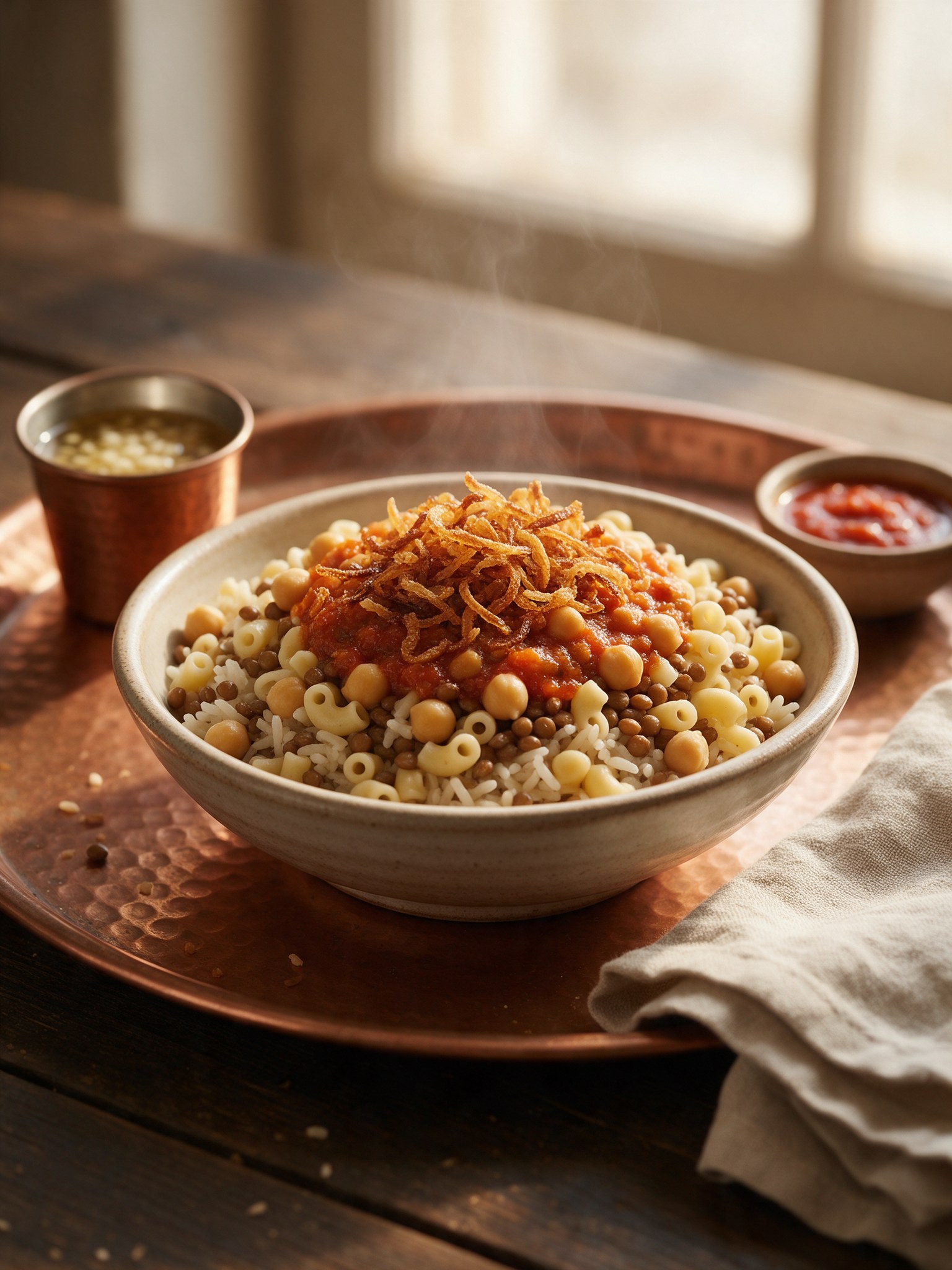
The result itself taught me something small. I had written small macaroni in the dish slot and the shape came out acceptable but not the elbow pasta koshary usually has. When I wanted the right shape I wrote elbow macaroni. One more precise word fixed the picture, and that is what I mean by editing inside the slot instead of around it.
Three habits help with any prompt of this kind:
- Write slot values in English even if the rest of your workflow is in another language. The models read English descriptions of materials and light more precisely.
- Describe what you picture rather than only its name. “Chicken kabsa with yellow rice and toasted nuts” tells the model more than “kabsa”.
- Change one slot per attempt. If you change three, you cannot tell which one broke the image or fixed it.
How do you move an image prompt to a different place?
This is the question people ask me most: how do I carry the idea to my own city? I tested it with the giant dallah prompt. It has a slot for the street, one for the giant object, and one for the time of day. The object is a brass Arabic coffee pot with a light green patina and desert dust, and tiny people and cars at its base give away its size.
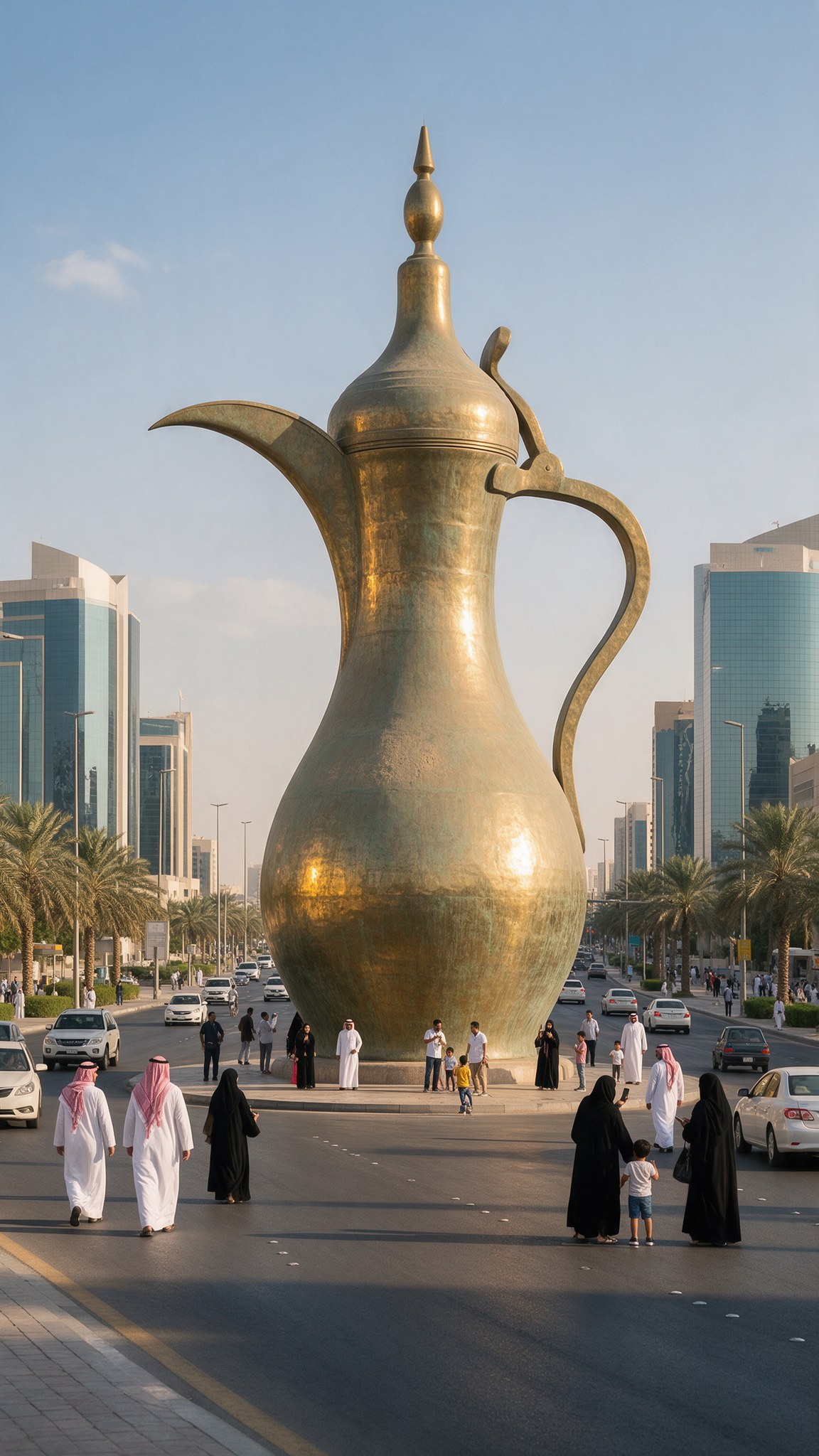
The scale sentence is what sells the picture. Remove the people and cars and you have an ordinary pot on a road. To make it look even bigger, compare it with something of known height, for example taller than the surrounding ten-story buildings. If you want pedestrians on the pavement, add pedestrians walking on the sidewalks to the crowd description; the model put the pot on a round base on a traffic island by itself.
To move the idea elsewhere, change the street and swap the object for something made of brass, such as a Ramadan lantern or an incense burner. Stay with a bright sunny day though, because the prompt is written for hard light on polished metal.
What does each part of an ink and stippling prompt change?
The Al-Muizz Street prompt is the longest of the six, and the best one for showing the effect of each part, because nearly every sentence answers a problem I hit while testing.
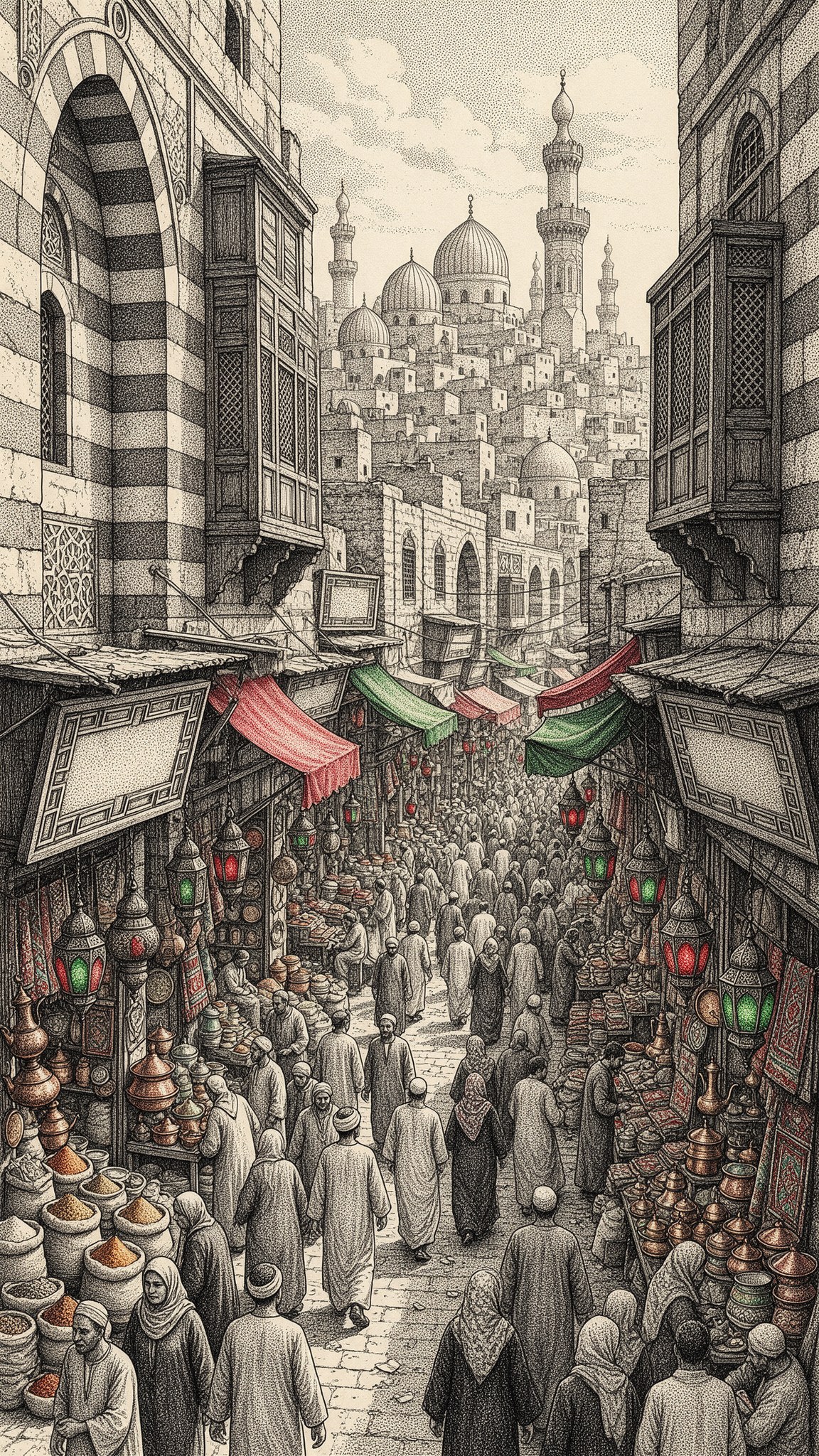
- The sentence about dotwork and tightly packed black ink dots sets the whole style, and it stays the same in any location.
- The architecture slot gives the model a description rather than a name, and a description helps it more. If you change the place, change the architecture with it.
- The two colour slots keep the drawing black and white, with red and green on the lanterns and awnings only.
- The line about blank signs and geometric patterns on the walls is not a detail.
On that last line: my first attempt only asked for empty signs, and in one of the two images the model carved marks on two boards that looked like Arabic calligraphy but did not read as letters. When I asked for blank wooden boards and geometric patterns on the walls, the signs came out completely empty in the image shown here. In the same attempt the model coloured a woman’s dress green, so I added a sentence that keeps clothing in black ink. You will not find mistakes like these until you enlarge the picture, which is why I ask for two images each time and zoom in before choosing.
What do you do when the result is close but not right?
This is the real test of any ready to use AI image prompt, and my answer is: read the picture, then write one line that corrects what the model got wrong. Do not rewrite the prompt.
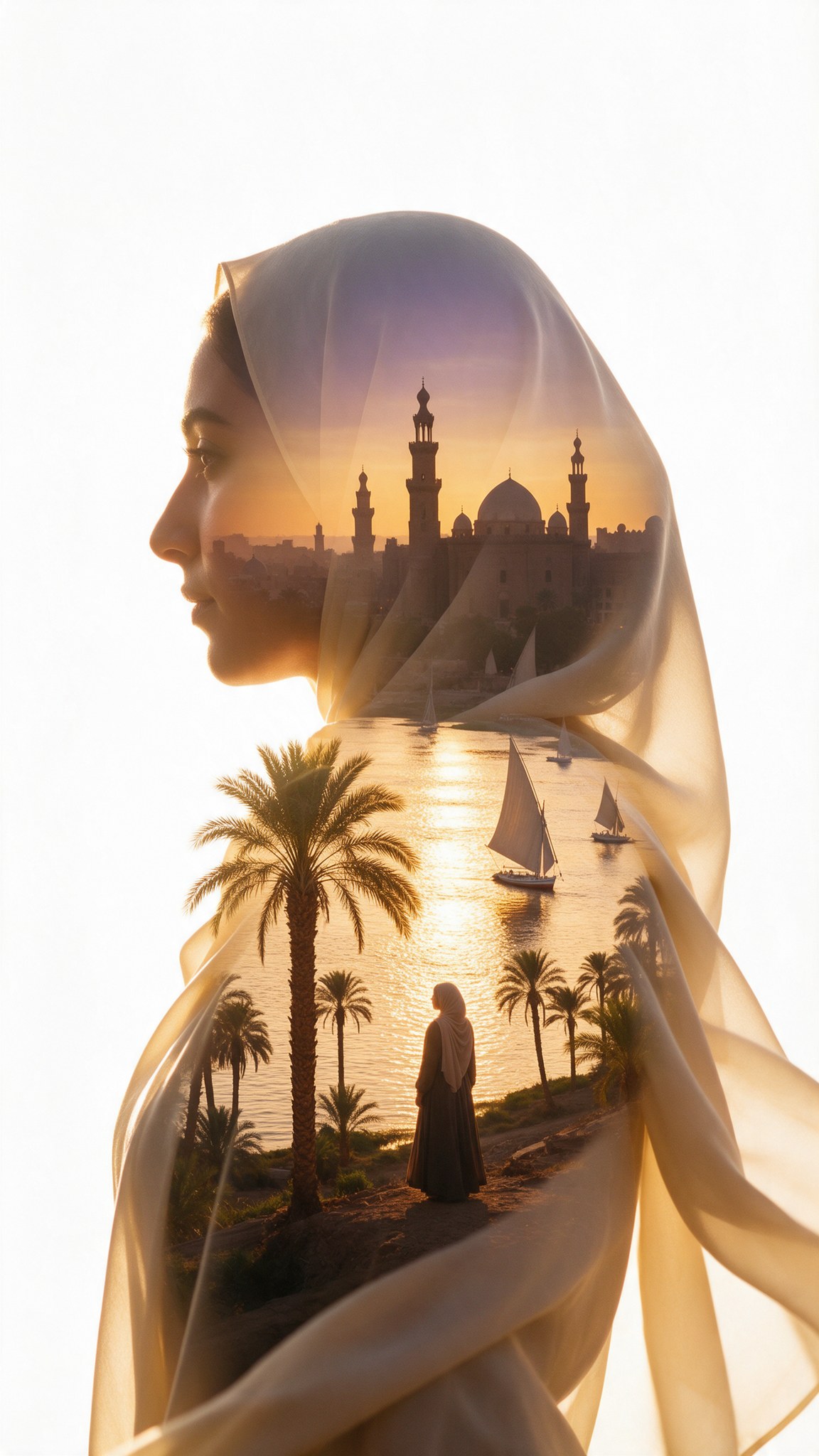
In the double exposure portrait prompt I wanted a headscarf that covers all the hair. The model drew it translucent, with the scene showing through. That looks good, but it was not what I asked for. The fix went into the woman slot: I added the phrase an opaque headscarf that fully covers her hair.
In the pixel dissolve dessert prompt the surface under the plate came out as a stone slab in one version and a smooth tabletop in the other, because my description was loose. The answer is to describe the surface precisely: a thick stone slab or a smooth tabletop. For smaller cubes and a clearer digital break-up, I typed tiny into the cube size slot.
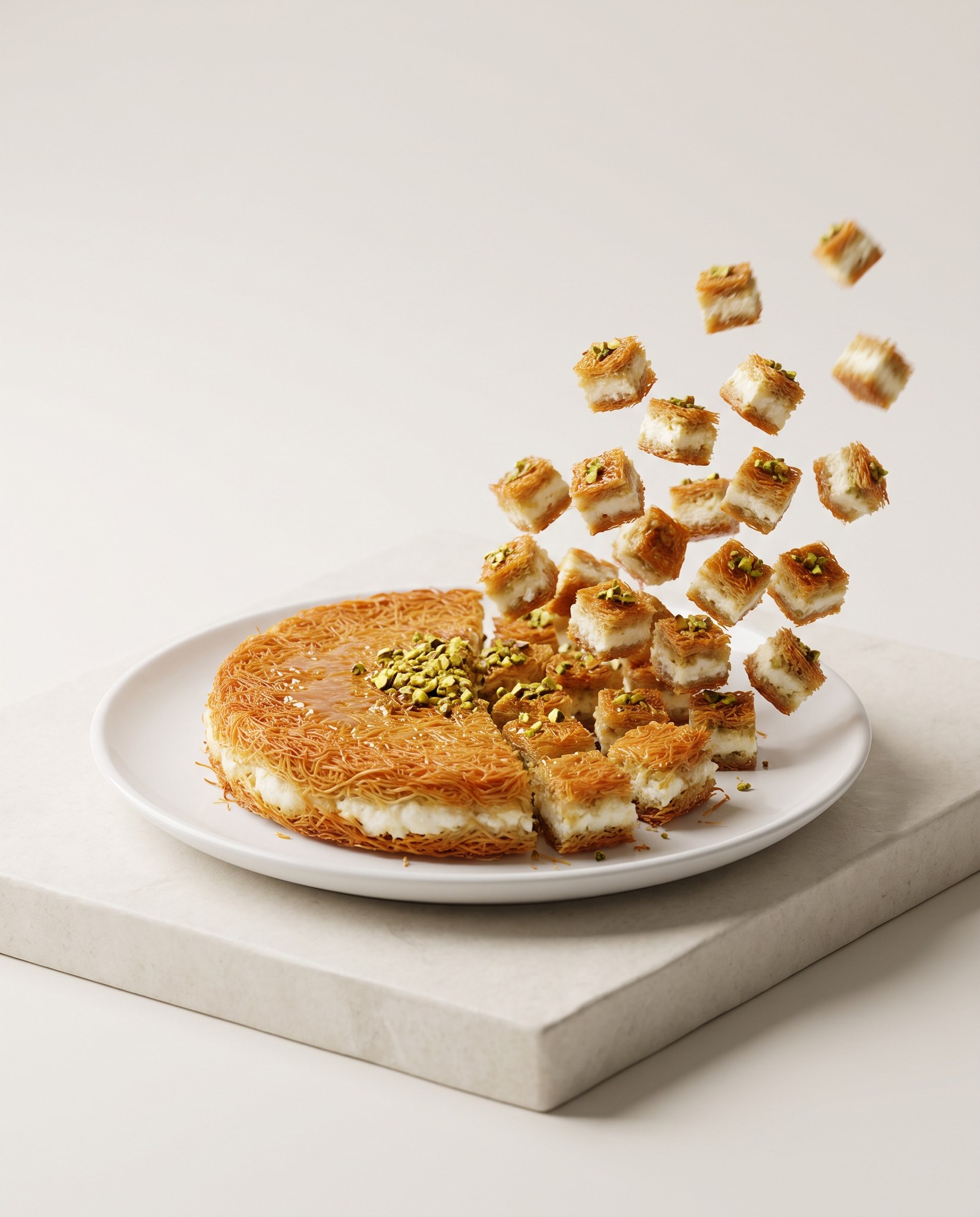
Every one of those edits began with a specific question. What did I see that I did not ask for? Which slot controls it? If no slot does, add a short line next to the nearest one, not a paragraph.
What if the prompt needs a photo from you?
Some prompts do not work without an attached picture. The isometric diorama prompt is one of them. It turns a photo of a real place into a small floating slice on a white background. I tried it on a still of a heritage building with wind towers and a wooden abra boat on the creek, and got a miniature with water cut like glass and visible soil layers.
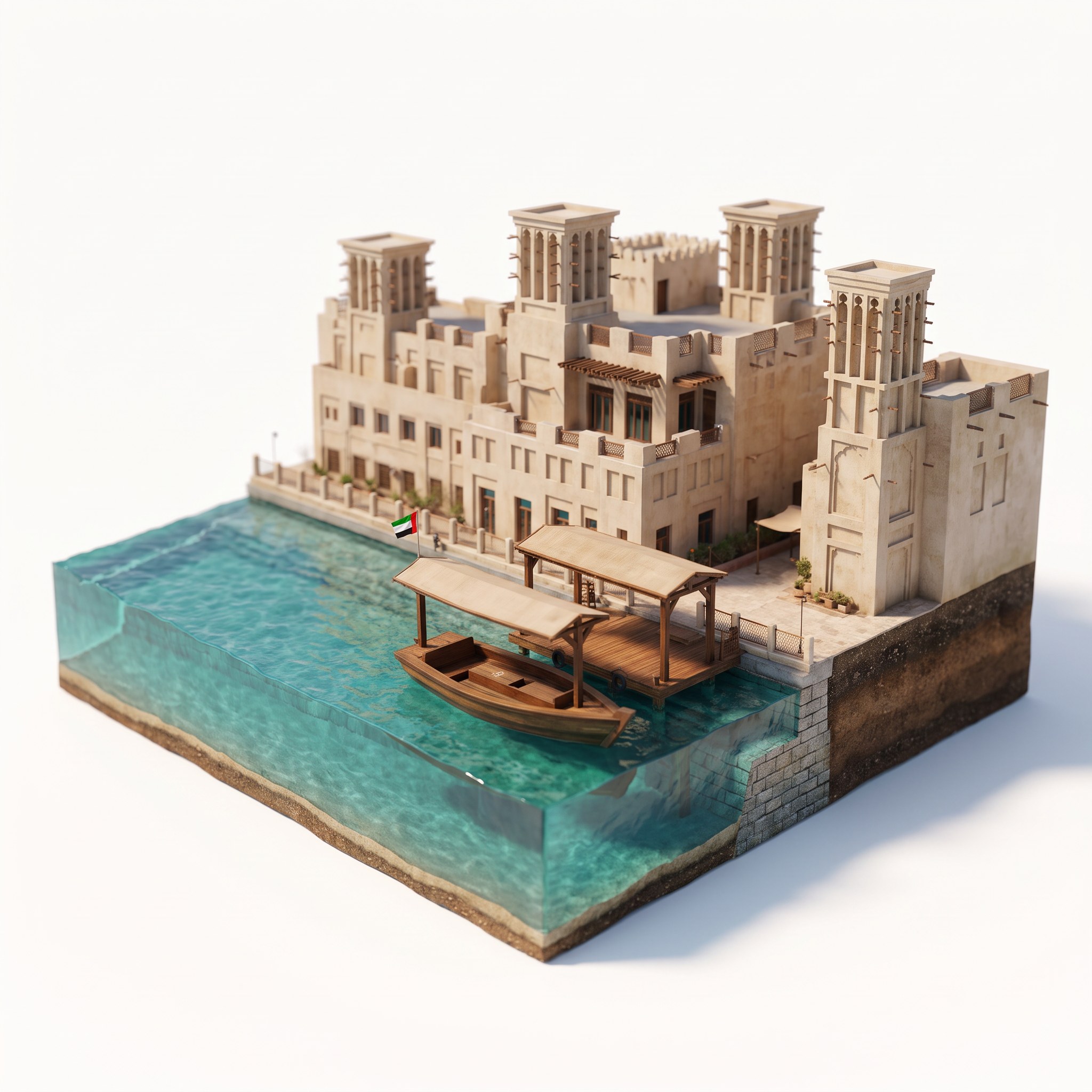
My mistake here is a useful rule: describe in the details slot only what appears in your photo. I wrote shaded wooden boat station, and the model added a covered wooden landing to the diorama that was not in the still. If you want the same number of towers as your picture, write the number, such as two traditional wind towers. Then compare each image you get with the original before choosing.
Which settings keep the result close to mine?
The prompt is half the condition. The other half is ratio, quality and tool, and I recorded them as I used them:
| Prompt | Tool | Ratio | Slots |
|---|---|---|---|
| Food photo | Seedream 5 Pro | 3:4 | 3 |
| Giant dallah | Seedream 5 Pro | 9:16 | 3 |
| Muizz Street ink | Seedream 5 Pro | 9:16 | 4 |
| Double exposure | Seedream 5 Pro | 9:16 | 3 |
| Pixel dissolve | Nano Banana Pro | 4:5 | 3 |
| Isometric diorama | Nano Banana Pro | 1:1 | 3 |
Quality is 2K in all six. The ratio is also written inside the prompt text (the food prompt ends with vertical 3:4 composition), and I set it in the platform too. If you change the ratio in the platform, change it in the prompt line as well so the two do not disagree.
The tool matters. I wrote and tested each prompt in the tool listed above. If you do not have it, try the prompt elsewhere, but expect a different picture, and do not judge the prompt on a first attempt in a tool I never ran it in.
How should you check an image before you use it?
I go through the same order every time, and it grew out of the mistakes above:
1. Zoom to full size and look for any writing, even on a small sign in the background. Models like to add letters that resemble Arabic but read as nothing, and anyone who reads the language will spot them.
2. Compare the picture with the prompt line by line: did the steam appear, did only the things I named take colour, did extras show up?
3. Look at faces and hands if there are any. On the Muizz Street image I enlarged them and they came out natural; I would not have known without zooming.
4. Check the clothing matches what you want. I asked for modest clothing there and it held, and I keep that sentence in every prompt with people.
5. If there is one fault, fix it with one line and regenerate. Do not start over.
Take the koshary prompt as an example. The picture I show has a thick glossy tomato sauce, and I wanted a thin one, as it is usually poured over koshary. I did not rewrite the paragraph. In the dish slot I replaced glossy spiced tomato sauce with thin, runny spiced tomato sauce, and I added a few chickpeas so fewer chickpeas sit on the surface. Two small edits in the same slot, the rest untouched. The same notes say crumbs can show up on the tray, so if you want it spotless add no crumbs on the tray.
That is the difference between someone who copies a prompt and someone who reads it: the first regenerates ten times hoping, the second knows which word to change.
When is a ready made prompt not enough?
A ready made prompt gives you a start. It does not know your place, your product or your identity, and every model returns a different version each time, so ask for at least two images and zoom in.
I keep three things next to every prompt that worked: the image I picked, the slots I changed, and the line I added to cure a problem. With those I can open it weeks later and see why it was written that way, and I note what it is not for. The pixel dissolve prompt is built on a dish with layers that the cubes reveal, so I would not expect the same from a dish with no layers.
If you post these images for a business, the picture alone is not the job. The words around it need to fit your audience, and for Arabic ad copy I built the Arabic ad copywriting skill. For turning one face into several shots for a video there are the Google Flow camera commands.
If you want to apply this to your own work, you can book a full one-hour session with me, and its cost is deducted from any project we build together.